
Attendance in one tap
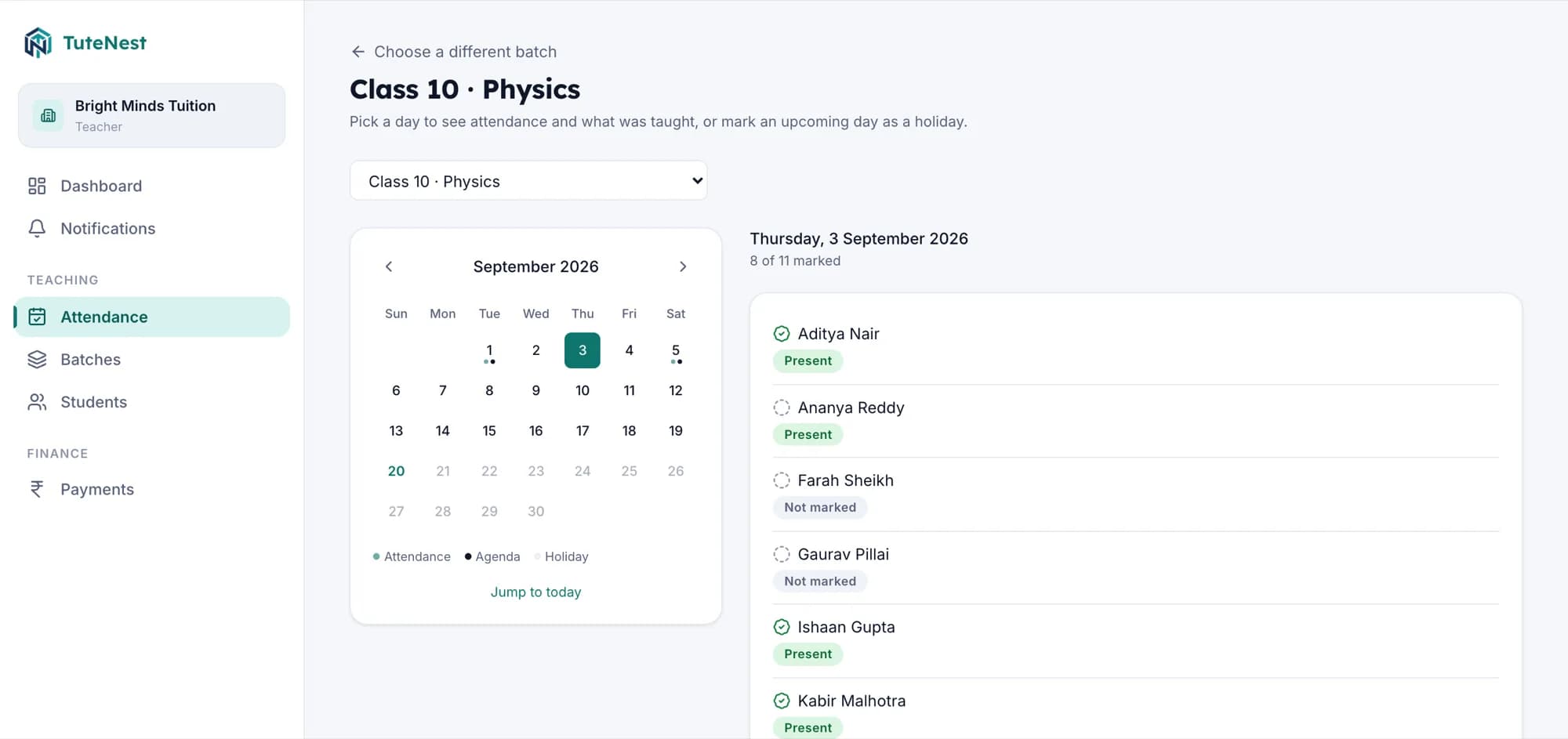
Present, absent, late or on leave, per student per day, from the phone in your hand between classes.
- Mark all present in one tap
- Month calendar per batch
- Students see it the same day
Attendance, fees and daily updates for every batch you teach, with reminders that reach parents on WhatsApp.
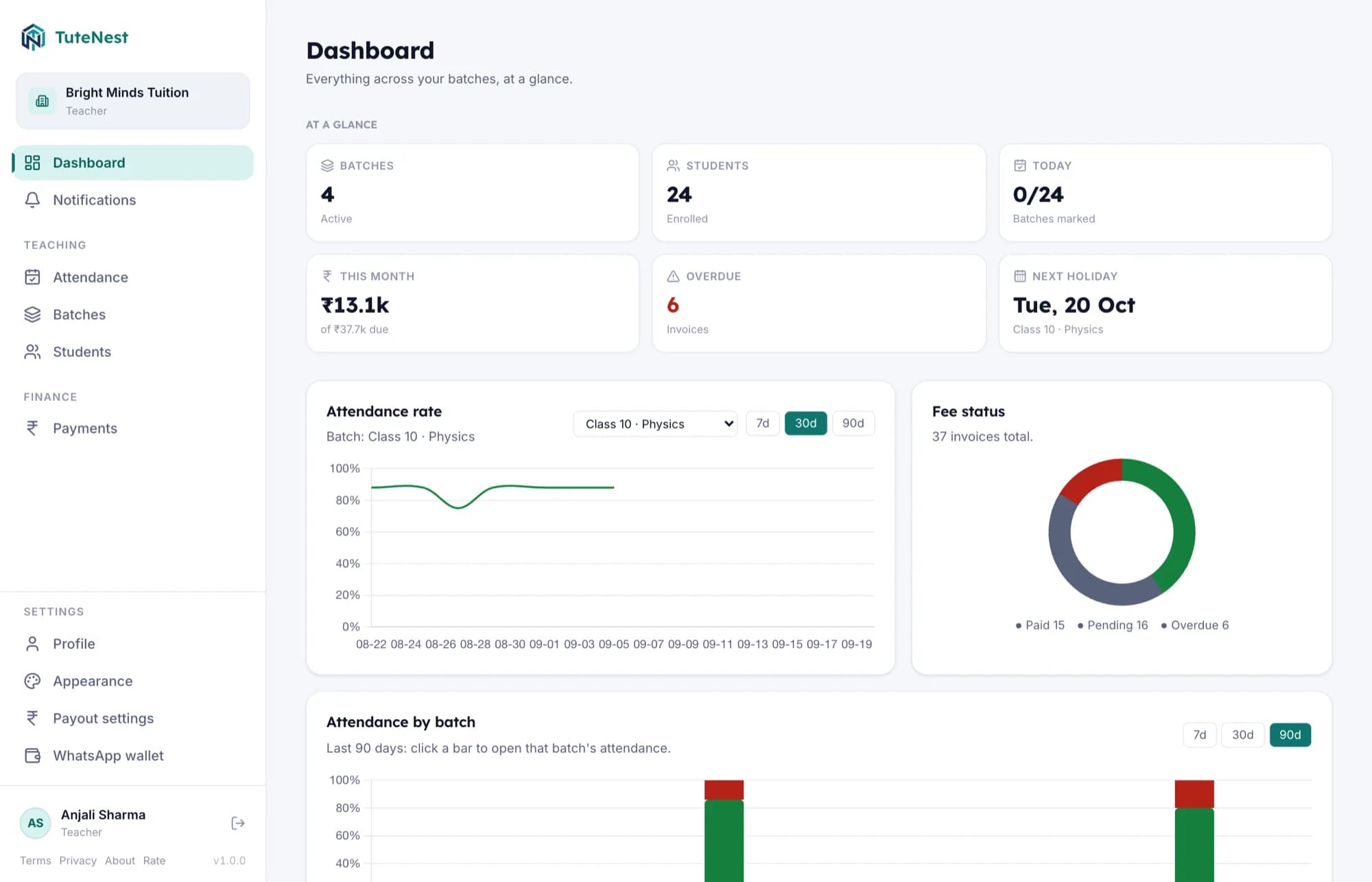
No setup fees. Most centers are running in under two minutes.
The attendance register
Marked from your phone, visible to parents the same day
The fees spreadsheet
Invoices raised per cycle, reminders sent without a phone call
The class WhatsApp group
Notices that go out from a business number, not your personal one
Not a school ERP with the hard parts removed. Five things you do every week, and nothing you do not.
Present, absent, late or on leave, per student per day, from the phone in your hand between classes.
Set the fee once per batch. Raise the whole cycle's invoices together, then send one reminder to everyone who still owes.
Every batch gets a six-character code. Share it once and students sign themselves up, straight into the right class.
Log what each session covered. Anyone who missed a class can see exactly where the batch has reached.
Close a single day or a run of them across several batches at once, and let every parent know in the same step.
Attendance
Mark the whole batch present in one tap, then correct the two who were not. No book to carry, no book to forget at home.
Sunrise Tuition Centre
Hi Aarav, a fee of ₹2,000 is pending for July 2026.
Pay now
Mon 09:04
Sunrise Tuition Centre
Payment of ₹2,000 received. Thank you.
Mon 18:41
Reminders go out from a business number, so the awkward follow-up call never has to happen and your personal phone stays yours.
01 Raise the cycle
One action bills the whole batch for the period. Run it twice by accident and nothing duplicates.
02 Send one reminder
Everyone still unpaid gets a WhatsApp message and an email. The screen shows how many rounds you have used.
03 Confirm what landed
Students tap “I’ve paid”, you confirm as UPI or cash, and a receipt goes out. Undo it if you tapped too fast.
Getting set up
Sign up with your name and your center's name. Nothing to approve, no one to wait for.
Name the class, set the fee and pick how often it repeats. Each batch gets its own join code.
Drop it in the class group. Students sign themselves up and land straight in the right batch.
“Attendance used to mean a register I would sometimes forget at home. Now I mark it from my phone between classes and parents see it the same day.”
“The join code made onboarding 40 students almost effortless. I shared one code in our class group instead of collecting details one by one.”
“Students get the UPI link and QR right on their fees screen, so nobody messages me at night asking for my UPI ID again.”
“I always know what was taught that day even if I missed a class. The agenda tells me exactly where we have reached.”
“I get a WhatsApp message the moment my daughter's fee is due, so there is no awkward reminder call from the teacher anymore.”
“When class was called off for a holiday, we got the message that evening instead of finding out at the door.”
Works in any browser, on the phone in your pocket or the laptop on your desk. Sign in and everything is there.
A native build that adds evening reminders when a batch still needs its attendance or agenda filled in. Not on the Play Store yet.
On the roadmap. Until it lands, the web app runs in Safari on an iPhone and behaves exactly the same.
Send us a message and we'll get back to you directly.
care@tutenest.com